 كاميرات مضادة للانفجار

كيفية تركيب كاميرا مقاومة للانفجار: Complete Installation Guide for Hazardous Areas
مقدمة
Installing an كاميرا مضادة للانفجار requires more than simply mounting a surveillance device. In hazardous environments such as oil refineries, المصانع الكيميائية, المنصات البحرية, محطات LNG, mining facilities, and fuel storage areas, proper installation is critical for both safety and system reliability.
An improperly installed ATEX Explosion Proof Camera may compromise explosion protection ratings, reduce equipment lifespan, and even create safety hazards.
This guide explains everything you need to know about Explosion Proof CCTV Installation, including required accessories, step-by-step installation procedures, safety precautions, and long-term maintenance recommendations.
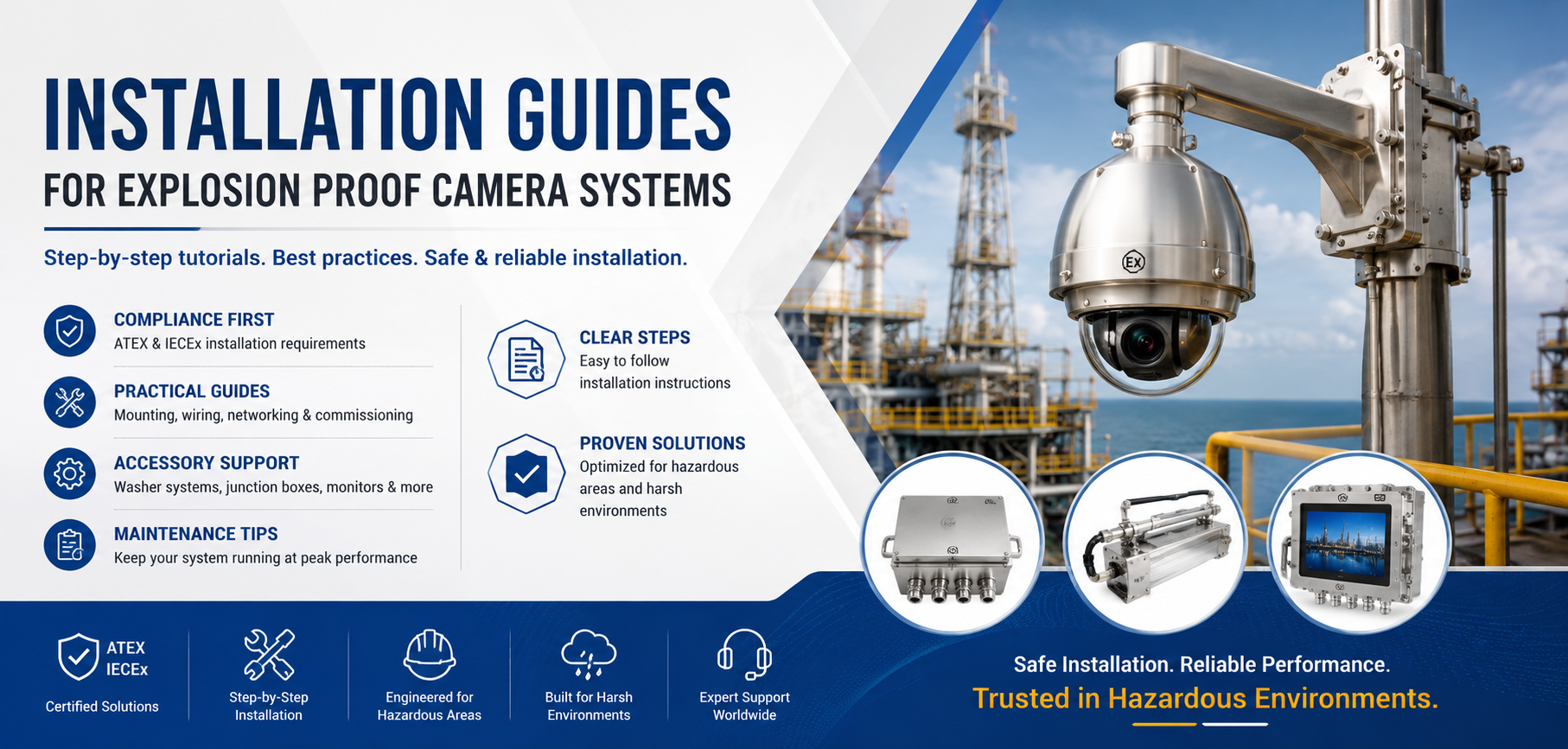
explosion proof camera installation
Why Proper Installation Matters
Explosion proof cameras are specifically designed to operate safely in hazardous locations where flammable gases, vapors, dust, or combustible particles may be present.
Typical hazardous area classifications include:
- المنطقة 1 Hazardous Areas
- المنطقة 2 Hazardous Areas
- المنطقة 21 Dust Hazardous Areas
- المنطقة 22 Dust Hazardous Areas
- Class I Division 1
- Class I Division 2
Proper installation ensures:
✓ ATEX / IECEx compliance
✓ Reliable video transmission
✓ Long-term corrosion resistance
✓ Stable power supply
✓ Maximum equipment lifespan
✓ Personnel and facility safety
Required Accessories for Installation
Before beginning installation, ensure all required components are available.
1. كاميرا مضادة للانفجار
Select the appropriate model:
- كاميرا PTZ مقاومة للانفجار
- كاميرا مقاومة للانفجار على شكل رصاصة
- كاميرا حرارية مضادة للانفجار
- Explosion Proof Dome Camera
Choose according to your application requirements.
2. Explosion Proof Cable Glands
Certified cable glands maintain the camera’s explosion-proof integrity.
Recommended:
- ATEX Certified Cable Glands
- Stainless Steel Cable Glands
- Nickel-Plated Brass Cable Glands
Never substitute standard cable glands in hazardous areas.
3. Mounting Brackets
Depending on site requirements:
Wall Mount Bracket
Most common for perimeter monitoring.
Pole Mount Bracket
Used on pipelines, towers, and utility poles.
Corner Mount Bracket
Suitable for buildings and storage facilities.
Heavy-Duty PTZ Mount
Recommended for large PTZ cameras.
4. Power Supply Equipment
Common options include:
- 24V AC
- 24V DC
- PoE Switches
- Industrial Power Supplies
Verify voltage compatibility before powering the camera.
5. Network and Communication Cables
Use industrial-grade cables:
- Cat6 Shielded Ethernet Cable
- Fiber Optic Cable
- RS485 Control Cable (for PTZ systems)
Hazardous environments often require armored cables for additional protection.
6. Junction Boxes
Explosion proof junction boxes provide safe cable termination and wiring protection.
Recommended:
- Stainless Steel Junction Box
- ATEX Certified Junction Box
- IP66/IP67 Protection Rating
Step-by-Step Installation Procedure
خطوة 1: Conduct a Site Survey
Before installation:
Evaluate:
- Hazardous area classification
- Monitoring objectives
- Camera viewing angles
- Lighting conditions
- Potential obstructions
- Environmental conditions
A proper survey helps avoid future repositioning.
خطوة 2: Verify Certifications
Confirm all equipment certifications:
- ATEX
- IECEx
- Class I Div 1
- Class I Div 2
Ensure certification matches the installation zone.
For example:
المنطقة 1 Camera → Zone 1 or Zone 2
المنطقة 2 Camera → Zone 2 only
خطوة 3: Install the Mounting Bracket
Secure the bracket using:
- Stainless steel bolts
- Expansion anchors
- Anti-vibration hardware
For offshore applications, marine-grade stainless steel is highly recommended.
خطوة 4: Mount the Camera
Carefully attach the camera housing.
Check:
- Tight fastening
- Proper orientation
- PTZ movement clearance
- Window visibility
Avoid overtightening, which may damage seals.
خطوة 5: Route and Protect Cables
Route all cables through approved conduits.
Best practices include:
- Separate power and signal cables
- Avoid high-temperature surfaces
- Protect against mechanical damage
- Use cable trays where necessary
Maintain minimum bend radius requirements.
خطوة 6: Install Explosion Proof Cable Glands
This is one of the most important steps.
Ensure:
- Correct gland size
- Proper sealing
- Tight locking nuts
- Waterproof installation
Improper gland installation can invalidate explosion-proof certification.
خطوة 7: Connect Power and Network
Connect:
- Power supply
- Ethernet cable
- Fiber converter (if required)
- PTZ control cable
Double-check polarity before energizing the system.
خطوة 8: System Testing
After installation:
Test:
✓ Video quality
✓ PTZ functionality
✓ Zoom performance
✓ Thermal imaging (if applicable)
✓ Network communication
✓ Recording system
✓ Alarm integration
Resolve all issues before commissioning.
Important Installation Precautions
Never Open the Camera in Hazardous Areas
Opening the enclosure in a classified area may create ignition risks.
Always perform maintenance in a safe zone.
Maintain Explosion Proof Seals
Check:
- O-rings
- Cable glands
- Housing threads
Damaged seals must be replaced immediately.
Follow Grounding Requirements
Proper grounding protects against:
- Lightning strikes
- Static electricity
- Electrical faults
Grounding is mandatory for most industrial installations.
Avoid Excessive Vibration
For offshore cranes, drilling rigs, and industrial machinery:
Use:
- Anti-vibration brackets
- Shock absorbers
- Reinforced supports
Protect Against Corrosion
In marine and chemical environments:
Choose:
- 316L Stainless Steel Cameras
- Marine-grade brackets
- Corrosion-resistant hardware
Post-Installation Maintenance
Regular maintenance helps maximize system reliability.
Monthly Inspection
Check:
- Camera housing condition
- Cable glands
- Brackets
- PTZ movement
Look for corrosion or loose components.
Lens and Window Cleaning
Dust, النفط, and salt deposits reduce image quality.
Use:
- Soft microfiber cloth
- Approved lens cleaner
Avoid abrasive materials.
For severe contamination, consider installing an Explosion Proof Washer Tank System.
Quarterly Functional Testing
Verify:
- Video transmission
- PTZ control
- Zoom operation
- Thermal imaging accuracy
- Alarm functions
Record maintenance results for compliance purposes.
Annual Certification Review
Inspect:
- Explosion-proof seals
- Cable glands
- Junction boxes
- Grounding systems
Replace worn components promptly.
Common Installation Mistakes to Avoid
Many failures result from installation errors.
Avoid:
✗ Using non-certified cable glands
✗ Installing a Zone 2 camera in Zone 1 areas
✗ Poor grounding
✗ Incorrect power supply
✗ Inadequate cable protection
✗ Ignoring corrosion risks
✗ Opening the enclosure in hazardous locations
Conclusion
Proper installation of an كاميرا مضادة للانفجار is essential for ensuring safety, regulatory compliance, and long-term performance in hazardous environments. By selecting the correct accessories, following certified installation procedures, and implementing a regular maintenance program, operators can maximize the reliability and lifespan of their Explosion Proof CCTV Systems.
Whether deployed in oil and gas facilities, المنصات البحرية, المصانع الكيميائية, عمليات التعدين, or fuel storage terminals, a professionally installed ATEX Explosion Proof Camera provides continuous monitoring and enhanced protection for critical assets.
وي تشات
امسح رمز الاستجابة السريعة بواسطة وي تشات